In India, digital payments have become part of daily life. From buying groceries to paying school fees, UPI (Unified Payments Interface) has made transactions instant and effortless. But what happens when your UPI Payment Failed?
You see messages like:
- “Transaction Failed”
- “Payment Pending”
- “Amount Debited but Not Credited”
- “Request Timed Out”
If you’ve ever faced this situation, you know how stressful it can be especially when money gets deducted from your bank account.
What is UPI and Why Is It So Popular?

UPI (Unified Payments Interface) is a real-time payment system developed by National Payments Corporation of India (NPCI). It allows users to transfer money instantly between bank accounts using mobile apps.
Popular UPI apps include:
- Google Pay
- PhonePe
- Paytm
- BHIM
- Amazon Pay
UPI works 24/7, even on holidays. That’s why India processes billions of UPI transactions every month.
But even this powerful system can sometimes fail.
Why Does a UPI Payment Failed?
Before jumping to solutions, let’s understand the reasons.
1. Poor Internet Connection
If your mobile data or Wi-Fi is unstable, the transaction request may not complete.
2. Bank Server Issues
Sometimes your bank’s server or the receiver’s bank server may be down.
3. Incorrect UPI PIN
Entering the wrong UPI PIN multiple times can block the transaction.
4. Daily Transaction Limit Crossed
UPI has daily limits. If you exceed it, the transaction will fail.
5. App Technical Glitch
Sometimes the app itself may face downtime or internal errors.
6. Timeout Error
If the server takes too long to respond, the transaction may fail.


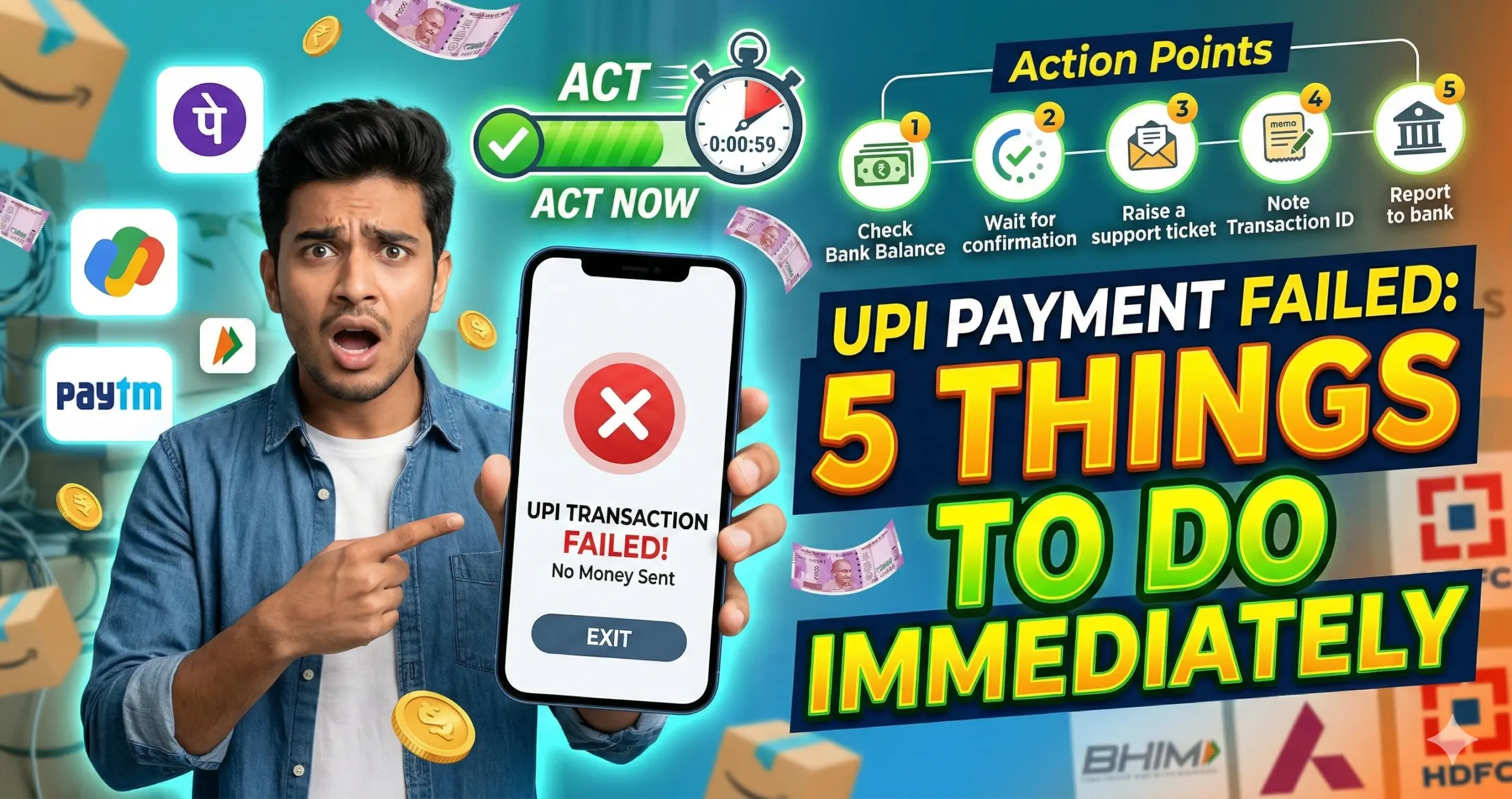
UPI Payment Failed: 5 Things to Do Immediately
Now let’s focus on what really matters — what should you do right away?
1️⃣ Do NOT Panic – Check Transaction Status First
The first and most important thing: Don’t panic.
Open your UPI app and:
- Go to Transaction History
- Check the transaction status
- Look for: Failed / Pending / Success
Three Possible Scenarios:
| Status | Meaning |
|---|---|
| Failed | Money not transferred |
| Pending | Still processing |
| Success | Payment completed |
If it says Pending, wait at least 30–60 minutes.
Most UPI transactions auto-update within an hour.
2️⃣ Check Your Bank Account Balance
Sometimes apps show failure but money gets deducted.
Immediately:
- Open your bank app or SMS alerts
- Check if the amount was debited
If money is NOT deducted:
You can retry the payment.
If money IS deducted:
Don’t make another payment immediately. Wait.
Most deducted-but-failed transactions get auto-refunded within a few hours.
3️⃣ Wait for Auto-Reversal (Usually Within 24 Hours)
UPI follows an auto-reversal mechanism.
If money is debited but transaction failed:
- Refund is usually processed within 24 hours
- In rare cases, it may take up to 3–5 working days
UPI is designed to automatically reverse failed payments.
Avoid making duplicate payments during this period.
4️⃣ Raise a Complaint in the App
If refund doesn’t come within 24 hours:
Go to:
Transaction History → Select Transaction → Raise Issue
Choose options like:
- “Money debited but not credited”
- “Transaction failed but amount deducted”
You will receive:
- Complaint reference number
- Tracking status
Most issues get resolved within 3 working days.
5️⃣ Contact Your Bank If Needed
If the issue is not resolved after complaint:
- Call your bank’s customer care
- Share transaction ID
- Provide date and time
- Share amount
Your bank can track the UPI reference number and resolve the issue.
Special Situation: Money Deducted but Receiver Didn’t Get It
This is the most common problem.
What Happens Here?
- Your bank debits money
- Receiver’s bank does not credit
- UPI system marks transaction failed
What to Do?
✔ Wait 24 hours
✔ Do not pay again immediately
✔ Raise dispute after waiting
99% of such cases auto-refund.
How Long Does UPI Refund Take?
Here is a practical timeline:
| Situation | Refund Time |
|---|---|
| Failed transaction | Instant or few minutes |
| Debited but failed | Within 24 hours |
| Technical error | 2–3 working days |
| Bank server issue | 3–5 working days |
If it takes more than 5 working days, escalate to bank.
UPI Transaction Limits (Important to Know)
Most banks follow:
- ₹1 lakh per day limit
- 10–20 transactions per day
If you cross this limit, payment may fail.
Always check your bank-specific UPI limits.
Common UPI Error Messages Explained
“Transaction Timed Out”
Server didn’t respond in time.
“Collect Request Expired”
Receiver didn’t approve payment request in time.
“Invalid UPI PIN”
Entered wrong PIN.
“Bank Server Down”
Bank system unavailable.
Understanding the message helps you react correctly.
How to Avoid UPI Payment Failures
Let’s talk prevention.
✔ Use Strong Internet
Switch to stable Wi-Fi if mobile data is weak.
✔ Avoid Peak Hours
High traffic time (evening 7–10 PM) can slow servers.
✔ Keep App Updated
Old versions may cause glitches.
✔ Don’t Click Multiple Times
Repeated tapping can create duplicate requests.
✔ Check Bank Server Status
Sometimes banks show maintenance alerts.
What If Receiver Says They Didn’t Receive Money?
If your app shows “Success” but receiver says not received:
- Ask them to check bank statement
- Wait 30 minutes
- If still not received, contact bank
In such rare cases, settlement delay may happen.
What Is UPI Reference Number (RRN)?
Every transaction has:
- UPI Transaction ID
- RRN (Retrieval Reference Number)
Always save or screenshot this.
It helps banks trace the payment.
When Should You File a Formal Complaint?
File complaint if:
- Refund not received after 3–5 working days
- App not responding
- Money stuck repeatedly
You can raise complaint via:
- UPI app
- Bank branch
- Bank helpline
Is UPI Safe?
Yes, UPI is highly secure because:
- Two-factor authentication
- UPI PIN required
- Bank-level encryption
- Regulated by RBI guidelines
Failures are usually technical, not fraud-related.
Real-Life Example Scenario
Imagine you paid ₹5,000 via Google Pay to a shop.
- Status shows failed
- ₹5,000 deducted
What should you do?
- Wait 1 hour
- Check balance
- Wait 24 hours
- Raise issue
- Contact bank if needed
No need to panic.f
Final Checklist: If UPI Payment Fails
✔ Check transaction history
✔ Check bank balance
✔ Wait 24 hours
✔ Raise complaint
✔ Contact bank
Follow this order always.
Frequently Asked Questions (FAQ)
1. Why did my UPI payment fail but money was deducted?
This usually happens due to server timeout or bank network delay. The amount is auto-reversed within 24 hours in most cases.
2. How long does UPI refund take?
Typically within 24 hours. Sometimes it may take up to 3–5 working days.
3. Can I cancel a pending UPI transaction?
No. Pending transactions cannot be manually cancelled. You must wait for system update.
4. What if refund is not received after 5 days?
Raise complaint with your bank and provide transaction ID and RRN.
5. Is it safe to retry payment immediately?
No. Wait until previous transaction status is confirmed.
6. What is UPI transaction limit per day?
Most banks allow ₹1 lakh per day, but limits may vary.
7. Can I get compensation for failed UPI transaction?
If bank delays refund beyond guidelines, you can escalate through grievance channels.
8. Why does UPI show “processing”?
It means the transaction is waiting for confirmation from banks.
9. What if wrong UPI ID entered?
If transaction failed, money will refund. If successful, you must request receiver to return.
10. Can bank block UPI after failed attempts?
Yes, after multiple wrong PIN attempts, UPI may be temporarily blocked.