Close Menu
    Facebook X (Twitter) Instagram
    Facebook X (Twitter) Instagram
    Dear Customer Care
    • Home
    • Telecom
      1. Jio Customer Care
      2. Airtel Customer Care
      3. Vi Customer Care
      4. BSNL Customer Care
      5. View All

      IndusInd Bank Customer Care Number: Complete Guide to Contact Support for Banking, Cards, Loans & More

      23rd July 2026

      How to solve yono sbi login problem Yono App Login Problem क्यों आती है ? इसको सॉल्व कैसे करे

      3rd July 2026

      How to Open Account in SBI – Complete Step-by-Step Guide for New Customers

      21st June 2026

      How Much I Can Earn in Rapido? Complete Earnings Guide for Riders in India

      21st June 2026

      IndusInd Bank Customer Care Number: Complete Guide to Contact Support for Banking, Cards, Loans & More

      23rd July 2026

      How to solve yono sbi login problem Yono App Login Problem क्यों आती है ? इसको सॉल्व कैसे करे

      3rd July 2026

      How to Open Account in SBI – Complete Step-by-Step Guide for New Customers

      21st June 2026

      How Much I Can Earn in Rapido? Complete Earnings Guide for Riders in India

      21st June 2026

      IndusInd Bank Customer Care Number: Complete Guide to Contact Support for Banking, Cards, Loans & More

      23rd July 2026

      How to solve yono sbi login problem Yono App Login Problem क्यों आती है ? इसको सॉल्व कैसे करे

      3rd July 2026

      How to Open Account in SBI – Complete Step-by-Step Guide for New Customers

      21st June 2026

      How Much I Can Earn in Rapido? Complete Earnings Guide for Riders in India

      21st June 2026

      IndusInd Bank Customer Care Number: Complete Guide to Contact Support for Banking, Cards, Loans & More

      23rd July 2026

      How to solve yono sbi login problem Yono App Login Problem क्यों आती है ? इसको सॉल्व कैसे करे

      3rd July 2026

      How to Open Account in SBI – Complete Step-by-Step Guide for New Customers

      21st June 2026

      How Much I Can Earn in Rapido? Complete Earnings Guide for Riders in India

      21st June 2026

      IndusInd Bank Customer Care Number: Complete Guide to Contact Support for Banking, Cards, Loans & More

      23rd July 2026

      How to solve yono sbi login problem Yono App Login Problem क्यों आती है ? इसको सॉल्व कैसे करे

      3rd July 2026

      How to Open Account in SBI – Complete Step-by-Step Guide for New Customers

      21st June 2026

      How Much I Can Earn in Rapido? Complete Earnings Guide for Riders in India

      21st June 2026
    • IRCTC
      • I-tickets/e-tickets
      • Cancellation E-tickets
    • Banking
      • SBI Customer Care Number
      • HDFC Bank Customer Care Number
      • Catholic Syrian Bank Customer Care Number
      • ICICI Bank Customer Care Number
    • Web Story
    • Blog
    Dear Customer Care
    You are at:Home - Blog - UPI Payment Failed: 5 Things to Do Immediately
    Blog

    UPI Payment Failed: 5 Things to Do Immediately

    Mr. KumarBy Mr. Kumar1st March 2026Updated:1st March 2026No Comments6 Mins Read
    Facebook Twitter Pinterest LinkedIn Tumblr Email
    UPI Payment Failed
    UPI Payment Failed
    Share
    Facebook Twitter LinkedIn Pinterest Email

    In India, digital payments have become part of daily life. From buying groceries to paying school fees, UPI (Unified Payments Interface) has made transactions instant and effortless. But what happens when your UPI Payment Failed?

    You see messages like:

    • “Transaction Failed”
    • “Payment Pending”
    • “Amount Debited but Not Credited”
    • “Request Timed Out”

    If you’ve ever faced this situation, you know how stressful it can be especially when money gets deducted from your bank account.


    Table of Contents

    Toggle
    • What is UPI and Why Is It So Popular?
    • Why Does a UPI Payment Failed?
      • 1. Poor Internet Connection
      • 2. Bank Server Issues
      • 3. Incorrect UPI PIN
      • 4. Daily Transaction Limit Crossed
      • 5. App Technical Glitch
      • 6. Timeout Error
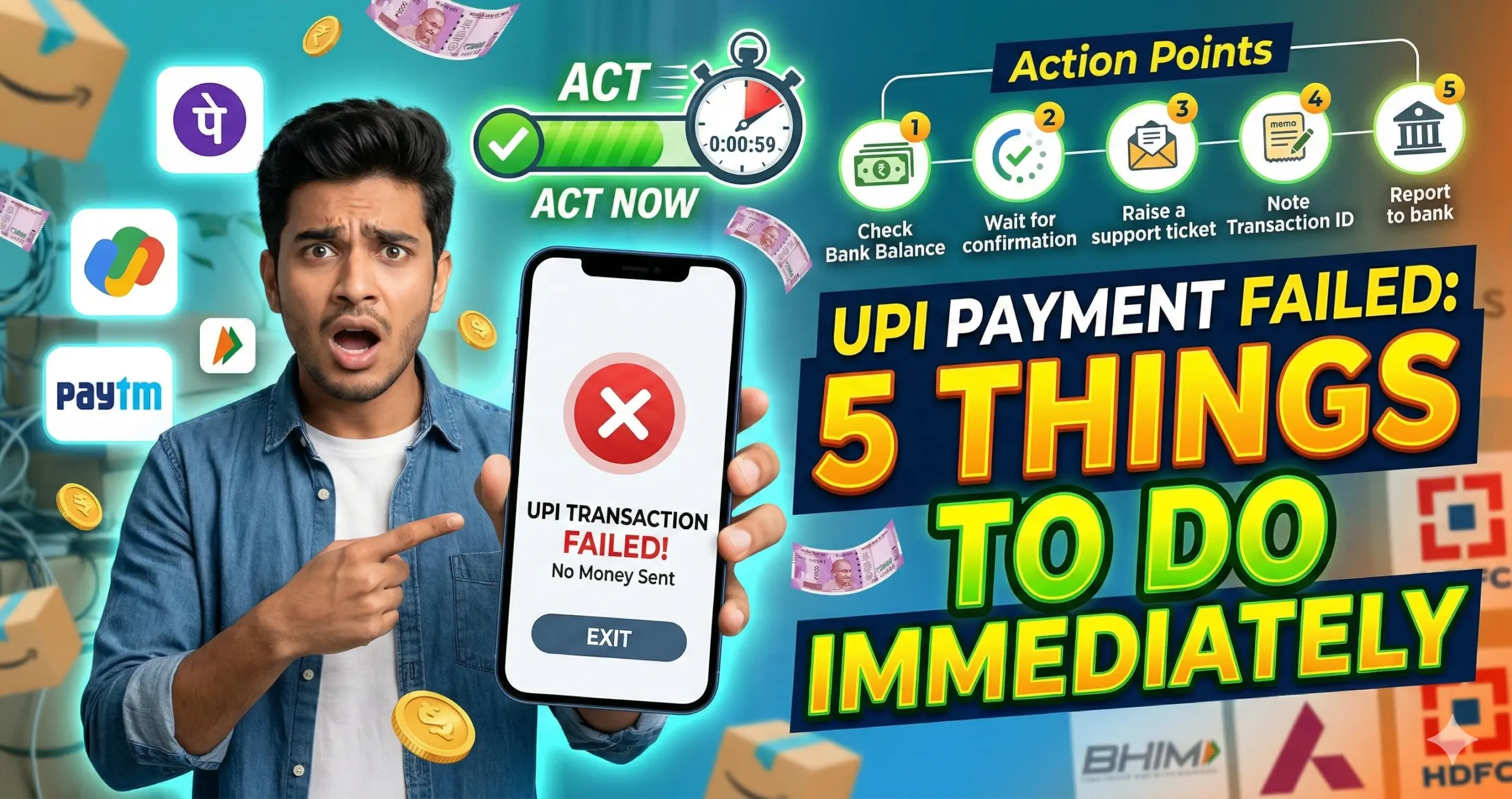
    • UPI Payment Failed: 5 Things to Do Immediately
      • 1️⃣ Do NOT Panic – Check Transaction Status First
      • Three Possible Scenarios:
      • 2️⃣ Check Your Bank Account Balance
      • If money is NOT deducted:
      • If money IS deducted:
      • 3️⃣ Wait for Auto-Reversal (Usually Within 24 Hours)
      • 4️⃣ Raise a Complaint in the App
      • 5️⃣ Contact Your Bank If Needed
    • Special Situation: Money Deducted but Receiver Didn’t Get It
      • What Happens Here?
      • What to Do?
    • How Long Does UPI Refund Take?
    • UPI Transaction Limits (Important to Know)
    • Common UPI Error Messages Explained
      • “Transaction Timed Out”
      • “Collect Request Expired”
      • “Invalid UPI PIN”
      • “Bank Server Down”
    • How to Avoid UPI Payment Failures
      • ✔ Use Strong Internet
      • ✔ Avoid Peak Hours
      • ✔ Keep App Updated
      • ✔ Don’t Click Multiple Times
      • ✔ Check Bank Server Status
    • What If Receiver Says They Didn’t Receive Money?
    • What Is UPI Reference Number (RRN)?
    • When Should You File a Formal Complaint?
    • Is UPI Safe?
    • Real-Life Example Scenario
    • Final Checklist: If UPI Payment Fails
    • Frequently Asked Questions (FAQ)
      • 1. Why did my UPI payment fail but money was deducted?
      • 2. How long does UPI refund take?
      • 3. Can I cancel a pending UPI transaction?
      • 4. What if refund is not received after 5 days?
      • 5. Is it safe to retry payment immediately?
      • 6. What is UPI transaction limit per day?
    • 7. Can I get compensation for failed UPI transaction?
      • 8. Why does UPI show “processing”?
      • 9. What if wrong UPI ID entered?
      • 10. Can bank block UPI after failed attempts?
    • Also read
      • How to solve yono sbi login problem Yono App Login Problem क्यों आती है ? इसको सॉल्व कैसे करे
      • How to Open Account in SBI – Complete Step-by-Step Guide for New Customers

    What is UPI and Why Is It So Popular?

    UPI (Unified Payments Interface) is a real-time payment system developed by National Payments Corporation of India (NPCI). It allows users to transfer money instantly between bank accounts using mobile apps.

    Popular UPI apps include:

    • Google Pay
    • PhonePe
    • Paytm
    • BHIM
    • Amazon Pay

    UPI works 24/7, even on holidays. That’s why India processes billions of UPI transactions every month.

    But even this powerful system can sometimes fail.

    Why Does a UPI Payment Failed?

    Before jumping to solutions, let’s understand the reasons.

    1. Poor Internet Connection

    If your mobile data or Wi-Fi is unstable, the transaction request may not complete.

    2. Bank Server Issues

    Sometimes your bank’s server or the receiver’s bank server may be down.

    3. Incorrect UPI PIN

    Entering the wrong UPI PIN multiple times can block the transaction.

    4. Daily Transaction Limit Crossed

    UPI has daily limits. If you exceed it, the transaction will fail.

    5. App Technical Glitch

    Sometimes the app itself may face downtime or internal errors.

    6. Timeout Error

    If the server takes too long to respond, the transaction may fail.

    Also read
    How Jio financial services work
    How Jio financial services work
    Making Holiday Shopping Easier with Techno Claus’ Special Gift Ideas
    Making Holiday Shopping Easier with Techno Claus’ Special Gift Ideas

    UPI Payment Failed: 5 Things to Do Immediately

    Now let’s focus on what really matters — what should you do right away?

    1️⃣ Do NOT Panic – Check Transaction Status First

    The first and most important thing: Don’t panic.

    Open your UPI app and:

    • Go to Transaction History
    • Check the transaction status
    • Look for: Failed / Pending / Success

    Three Possible Scenarios:

    StatusMeaning
    FailedMoney not transferred
    PendingStill processing
    SuccessPayment completed

    If it says Pending, wait at least 30–60 minutes.

    Most UPI transactions auto-update within an hour.

    2️⃣ Check Your Bank Account Balance

    Sometimes apps show failure but money gets deducted.

    Immediately:

    • Open your bank app or SMS alerts
    • Check if the amount was debited

    If money is NOT deducted:

    You can retry the payment.

    If money IS deducted:

    Don’t make another payment immediately. Wait.

    Most deducted-but-failed transactions get auto-refunded within a few hours.

    3️⃣ Wait for Auto-Reversal (Usually Within 24 Hours)

    UPI follows an auto-reversal mechanism.

    If money is debited but transaction failed:

    • Refund is usually processed within 24 hours
    • In rare cases, it may take up to 3–5 working days

    UPI is designed to automatically reverse failed payments.

    Avoid making duplicate payments during this period.

    4️⃣ Raise a Complaint in the App

    If refund doesn’t come within 24 hours:

    Go to:

    Transaction History → Select Transaction → Raise Issue

    Choose options like:

    • “Money debited but not credited”
    • “Transaction failed but amount deducted”

    You will receive:

    • Complaint reference number
    • Tracking status

    Most issues get resolved within 3 working days.

    5️⃣ Contact Your Bank If Needed

    If the issue is not resolved after complaint:

    • Call your bank’s customer care
    • Share transaction ID
    • Provide date and time
    • Share amount

    Your bank can track the UPI reference number and resolve the issue.

    Special Situation: Money Deducted but Receiver Didn’t Get It

    This is the most common problem.

    What Happens Here?

    • Your bank debits money
    • Receiver’s bank does not credit
    • UPI system marks transaction failed

    What to Do?

    ✔ Wait 24 hours
    ✔ Do not pay again immediately
    ✔ Raise dispute after waiting

    99% of such cases auto-refund.

    How Long Does UPI Refund Take?

    Here is a practical timeline:

    SituationRefund Time
    Failed transactionInstant or few minutes
    Debited but failedWithin 24 hours
    Technical error2–3 working days
    Bank server issue3–5 working days

    If it takes more than 5 working days, escalate to bank.

    UPI Transaction Limits (Important to Know)

    Most banks follow:

    • ₹1 lakh per day limit
    • 10–20 transactions per day

    If you cross this limit, payment may fail.

    Always check your bank-specific UPI limits.

    Common UPI Error Messages Explained

    “Transaction Timed Out”

    Server didn’t respond in time.

    “Collect Request Expired”

    Receiver didn’t approve payment request in time.

    “Invalid UPI PIN”

    Entered wrong PIN.

    “Bank Server Down”

    Bank system unavailable.

    Understanding the message helps you react correctly.

    How to Avoid UPI Payment Failures

    Let’s talk prevention.

    ✔ Use Strong Internet

    Switch to stable Wi-Fi if mobile data is weak.

    ✔ Avoid Peak Hours

    High traffic time (evening 7–10 PM) can slow servers.

    ✔ Keep App Updated

    Old versions may cause glitches.

    ✔ Don’t Click Multiple Times

    Repeated tapping can create duplicate requests.

    ✔ Check Bank Server Status

    Sometimes banks show maintenance alerts.

    What If Receiver Says They Didn’t Receive Money?

    If your app shows “Success” but receiver says not received:

    • Ask them to check bank statement
    • Wait 30 minutes
    • If still not received, contact bank

    In such rare cases, settlement delay may happen.

    What Is UPI Reference Number (RRN)?

    Every transaction has:

    • UPI Transaction ID
    • RRN (Retrieval Reference Number)

    Always save or screenshot this.

    It helps banks trace the payment.

    When Should You File a Formal Complaint?

    File complaint if:

    • Refund not received after 3–5 working days
    • App not responding
    • Money stuck repeatedly

    You can raise complaint via:

    • UPI app
    • Bank branch
    • Bank helpline

    Is UPI Safe?

    Yes, UPI is highly secure because:

    • Two-factor authentication
    • UPI PIN required
    • Bank-level encryption
    • Regulated by RBI guidelines

    Failures are usually technical, not fraud-related.

    Real-Life Example Scenario

    Imagine you paid ₹5,000 via Google Pay to a shop.

    • Status shows failed
    • ₹5,000 deducted

    What should you do?

    1. Wait 1 hour
    2. Check balance
    3. Wait 24 hours
    4. Raise issue
    5. Contact bank if needed

    No need to panic.f

    Final Checklist: If UPI Payment Fails

    ✔ Check transaction history
    ✔ Check bank balance
    ✔ Wait 24 hours
    ✔ Raise complaint
    ✔ Contact bank

    Follow this order always.

    Frequently Asked Questions (FAQ)

    1. Why did my UPI payment fail but money was deducted?

    This usually happens due to server timeout or bank network delay. The amount is auto-reversed within 24 hours in most cases.

    2. How long does UPI refund take?

    Typically within 24 hours. Sometimes it may take up to 3–5 working days.

    3. Can I cancel a pending UPI transaction?

    No. Pending transactions cannot be manually cancelled. You must wait for system update.

    4. What if refund is not received after 5 days?

    Raise complaint with your bank and provide transaction ID and RRN.

    5. Is it safe to retry payment immediately?

    No. Wait until previous transaction status is confirmed.

    6. What is UPI transaction limit per day?

    Most banks allow ₹1 lakh per day, but limits may vary.

    7. Can I get compensation for failed UPI transaction?

    If bank delays refund beyond guidelines, you can escalate through grievance channels.

    8. Why does UPI show “processing”?

    It means the transaction is waiting for confirmation from banks.

    9. What if wrong UPI ID entered?

    If transaction failed, money will refund. If successful, you must request receiver to return.

    10. Can bank block UPI after failed attempts?

    Yes, after multiple wrong PIN attempts, UPI may be temporarily blocked.

    Also read

    how to solve yono sbi login problem ?

    How to solve yono sbi login problem Yono App Login Problem क्यों आती है ? इसको सॉल्व कैसे करे

    How to Open Account in SBI

    How to Open Account in SBI – Complete Step-by-Step Guide for New Customers

    Share. Facebook Twitter Pinterest LinkedIn Tumblr Email
    Previous ArticleIRCTC Customer Care Number – Complete Guide to Contact IRCTC Support
    Next Article SMC Global Customer Care Number – Complete Support Guide
    Mr. Kumar

    Mr. Kumar is a professional blog writer who has written interesting, SEO-friendly content in a wide range of niches. He has the ability to break down complex topics into simple and meaningful content that will deliver value to the reader. His strength lies in creating engaging blog posts that rank high on search engines. From technical insights to lifestyle stories, Mr. Kumar's writing combines creativity, precision, and a deep understanding of audience needs. His expertise makes him an authoritative voice in the world of blogging, delivering impactful narration that informs and inspires.

    Related Posts

    How to solve yono sbi login problem Yono App Login Problem क्यों आती है ? इसको सॉल्व कैसे करे

    3rd July 2026

    How to Open Account in SBI – Complete Step-by-Step Guide for New Customers

    21st June 2026

    How Much I Can Earn in Rapido? Complete Earnings Guide for Riders in India

    21st June 2026
    Advertisement


    Follow us on
    • Facebook
    • Twitter
    • Pinterest
    • Instagram
    • YouTube
    Advertisement

    Related Posts
    • IndusInd Bank Customer Care Number: Complete Guide to Contact Support for Banking, Cards, Loans & More
    • How to solve yono sbi login problem Yono App Login Problem क्यों आती है ? इसको सॉल्व कैसे करे
    • How to Open Account in SBI – Complete Step-by-Step Guide for New Customers
    • How Much I Can Earn in Rapido? Complete Earnings Guide for Riders in India
    • Elcamino Software Pvt. Ltd. Office Contact Address
    • Banks Customer Care Number

    IndusInd Bank Customer Care Number: Complete Guide to Contact Support for Banking, Cards, Loans & More

    23rd July 2026

    Paytm Customer Care Number – Complete Support Guide for Users

    27th May 2026

    South Indian Bank Customer Care Number: Complete Guide for Fast Support.

    28th March 2026

    Bank of Baroda Customer Care Number – 24/7 Support, WhatsApp Help & Complete Guide

    28th December 2025

    HSBC Bank Customer Care Number – Complete Support Guide for All Banking Needs

    28th December 2025

    IndusInd Bank Customer Care Number: Complete Guide to Contact Support for Banking, Cards, Loans & More

    By Mr. Kumar23rd July 2026

    Banking has become much easier with mobile apps, internet banking, and digital payment services. However,…

    How to solve yono sbi login problem Yono App Login Problem क्यों आती है ? इसको सॉल्व कैसे करे

    3rd July 2026

    How to Open Account in SBI – Complete Step-by-Step Guide for New Customers

    21st June 2026

    How Much I Can Earn in Rapido? Complete Earnings Guide for Riders in India

    21st June 2026
    Tags
    Airlines Airlines Contact number American Airlines Bank Contact Number Bank Credit Card Bank Customer Care Bank Cutomer Care Number bank number Booking Broadband Brokerage Contact Number brokerage Helpnumber Cars computers computers service Courier Credit Card Dream11 Dream11 App Support fashion flight bookings Flipkart food delivery Home Appliances Customer Hotel Hotel Booking Insurance Customer Care Irctc IRCTC Customer Care IRCTC Customer Care Number life insurance life insurance contact support Meesho Mobile Myntra online shopping railway customer care number Razorpay Samsung smartphone social media Stock Broker Contact Number Travel agency university Upstox
    About
    About

    DearCustomerCare.com, An informational Portal That Publishes All Brand’s Customer Care Helpline & Contact Information of all Indian and Worldwide Level Companies and Organization’s Across all Categories.

    Facebook X (Twitter) Instagram Pinterest
    Latest Post
    IndusInd Bank Customer Care Number: Complete Guide to Contact Support for Banking, Cards, Loans & More
    23rd July 2026
    How to solve yono sbi login problem Yono App Login Problem क्यों आती है ? इसको सॉल्व कैसे करे
    3rd July 2026
    How to Open Account in SBI – Complete Step-by-Step Guide for New Customers
    21st June 2026
    How Much I Can Earn in Rapido? Complete Earnings Guide for Riders in India
    21st June 2026
    Advertisement
    © 2026 Dearcustomercare.com.
    • About Us
    • Disclaimer
    • Privacy Policy
    • Ask a question
    • Contact Us

    Type above and press Enter to search. Press Esc to cancel.