

Online shopping has made life easier than ever. From electronics and fashion to groceries and digital subscriptions, everything is just a few clicks away. But what happens when something goes wrong?
- You receive a damaged product
- The wrong item is delivered
- The size doesn’t fit
- The order never arrives
- You’re charged twice
- The product looks completely different from the photos
In these situations, knowing how to get a refund fast from any online store can save you time, stress, and money.
This detailed guide will walk you through proven strategies to speed up your refund process, avoid common mistakes, and handle even difficult cases professionally.
Why Refunds Get Delayed & How to Get a Refund Fast From Any Online Store
Before learning how to speed things up, it’s important to understand why refunds often take too long.
1. Incomplete Return Requests
Many customers skip important steps like uploading photos or providing order numbers. This causes back-and-forth emails.
2. Missing Proof
No unboxing video, no damaged photos, no screenshots the store needs evidence.
3. Policy Violations
Some products are non-refundable (like digital goods or hygiene products).
4. Payment Method Delays
Bank refunds often take longer than wallet or store credit refunds.
5. Poor Communication
Aggressive or unclear messages can slow down support responses.
The solution? Be structured, professional, and proactive.
Step-by-Step: How to Get a Refund Fast
Step 1: Check the Return & Refund Policy First
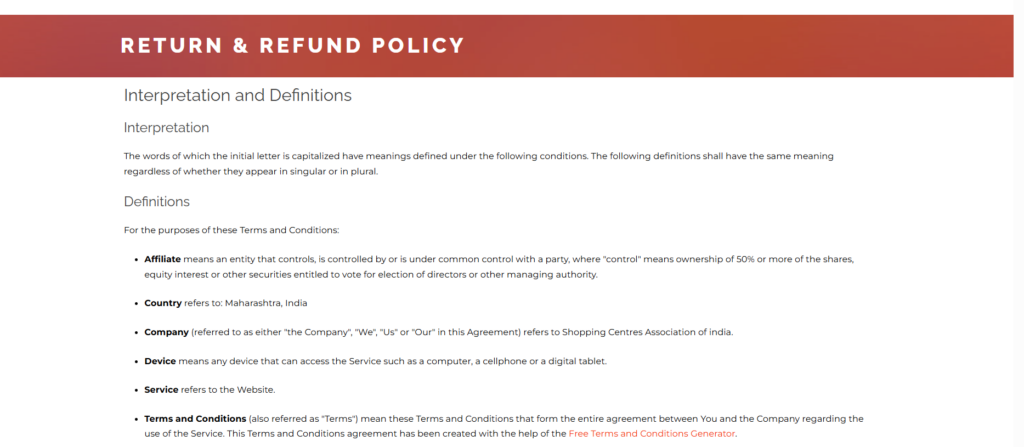
Before contacting customer support:
- Read the refund policy
- Check return window (7 days? 10 days? 30 days?)
- See if return shipping is free
- Confirm if refunds go to original payment method or store credit
This prevents unnecessary arguments.
Pro Tip: Take a screenshot of the policy if you believe you qualify. Policies sometimes change.
Also read
Step 2: Gather All Evidence Immediately
Speed depends on proof.
Collect:
- Order ID
- Invoice copy
- Product photos (clear, close-up)
- Packaging photos
- Unboxing video (if available)
- Delivery date screenshot
If item is damaged:
- Show damage clearly
- Show shipping label
- Show outer box condition
The more complete your evidence, the faster your approval.
Step 3: Initiate Refund Through Official Channel
Always use:
- App return section
- Website return request page
- Official support email
- Official live chat
Avoid social media first — it’s slower.
Best Method Order:
- In-app return request (fastest)
- Live chat
- Phone support
Step 4: Use a Clear Refund Message Template
Here’s a professional template you can use:
Subject: Refund Request for Order #12345
Hello,
I received the product today, but it is damaged/incorrect. I have attached photos for your reference.Kindly initiate a refund at the earliest.
Order ID: XXXXX
Delivery Date: XXXXXThank you.
Keep it short. Clear. Direct.
Step 5: Choose Refund Instead of Replacement (If You Want Speed)
Replacements often take longer because:
- Product must return first
- Warehouse must verify
- New shipment must dispatch
If speed is your priority, choose refund directly.
Step 6: Follow Up the Smart Way
If no response within 48 hours:
Send a polite follow-up:
Hello,
I’m following up on my refund request submitted on (date).
Kindly update the status.
Thank you.
Never spam multiple tickets — it slows things down.
Advanced Strategies to Get Refund Faster
Now let’s talk about what most people don’t know.
1. Use Payment Dispute as Backup (Only if Necessary)
If store is unresponsive:
- Credit card chargeback
- UPI complaint
- Bank dispute
- Wallet dispute
But use this only after trying official support.
Warning: Stores may block accounts after chargeback.
2. Mention Consumer Protection Laws (Politely)
If refund is unfairly denied:
Mention:
- Consumer rights
- Faulty goods policy
- Misleading description
Professional tone works better than threats.
3. Escalate to Supervisor
If front-line support is unhelpful:
Ask:
Kindly escalate this to a supervisor or higher support team.
Escalations move cases faster.
4. Use Social Media (Strategically)
If store is ignoring:
Post politely on:
- Official Twitter page
- Facebook support page
Public visibility often speeds up resolution.
But avoid abusive language.
How Refund Speed Varies by Payment Method
| Payment Method | Typical Refund Speed |
|---|---|
| Store Wallet | 24–48 hours |
| UPI | 2–5 business days |
| Debit Card | 5–7 business days |
| Credit Card | 7–10 business days |
| COD (Cash on Delivery) | Bank transfer 3–7 days |
Wallet refunds are usually fastest.
Special Cases & How to Handle Them
1. Refund for Non-Delivered Item
Steps:
- Check tracking
- Contact courier
- Inform store immediately
- Ask for refund if item marked delivered incorrectly
2. Refund for Digital Products
Harder to get refund.
You must:
- Prove technical issue
- Provide screenshots
- Show non-usage if possible
3. Late Delivery Refund
If delivery guarantee was promised:
Mention delivery timeline in your request.
4. Partial Refund Requests
If product works but minor issue:
Ask for partial refund instead of full return.
Stores approve faster.
Common Mistakes That Delay Refunds
- Waiting too long to complain
- Throwing away packaging
- Being rude to support
- Not reading return window
- Ignoring pickup calls
- Missing return pickup
Avoid these and you’ll move faster.
How Long Should You Wait Before Escalating
| Stage | Wait Time |
|---|---|
| Initial Request | 48 hours |
| After Approval | 3–5 days |
| After Return Pickup | 5–7 days |
| Bank Refund | 7–10 days |
If no movement after this — escalate.
Real-Life Refund Scenario Example
You order shoes. Wrong size arrives.
- Take photos immediately
- Request refund same day
- Upload invoice + images
- Choose refund
- Return picked up
- Refund processed in 3 days
Fast action = fast money back.
What To Do If Refund Is Rejected
Stay calm.
Ask:
- Exact reason
- Proof needed
- Policy reference
If still denied:
- Escalate
- File complaint via payment provider
- Use consumer complaint portal (if applicable in your country)
Refund Checklist (Quick Action Guide)
✔ Check policy
✔ Take photos
✔ Submit request same day
✔ Keep packaging
✔ Follow up politely
✔ Track refund timeline
Final Thoughts
Getting a refund fast is not about fighting the store.
It’s about:
- Acting quickly
- Providing proof
- Communicating clearly
- Knowing your rights
- Escalating wisely
If you follow the structured approach above, you can significantly reduce refund waiting time and avoid unnecessary stress.
Remember: The faster and clearer you act, the faster your money returns.
Frequently Asked Questions (FAQ)
1. How can I speed up my online refund?
Submit request immediately with complete proof and choose refund over replacement.
2. Can I get instant refund?
Some platforms provide instant wallet refunds, but bank refunds take 3–10 days.
3. What if refund is approved but not received?
Check with your bank and wait standard processing time before escalating.
4. Can I cancel order after shipping?
Yes, but you may need to refuse delivery or return after receiving.
5. What if store refuses refund unfairly?
Escalate to supervisor and consider payment dispute.
6. Is refund faster on credit card or debit card?
Usually similar, but wallet refunds are fastest.
7. How long does COD refund take?
Typically 3–7 business days after approval.
8. Can I get refund without original packaging?
Sometimes, but it depends on store policy.
9. Should I call customer care or email?
In-app request or live chat is usually fastest.
10. Can I get refund for opened product?
Depends on policy. Damaged or defective items usually qualify.